

How to Read a Gundam Card: Anatomy Guide
Every number, symbol, and line of text on a Gundam card, explained region by region — so you can pick up any card and know exactly what it does.
A Gundam card packs a lot of information into a small space, and at first glance it can be a wall of numbers and symbols. But every region of the card has a fixed job, and once you know what each one means, you can read any card in the game at a glance — including cards you've never seen before. This guide walks through the card region by region, explains how the four card types differ, and clears up the handful of details that trip up almost every new player.
Keep this open next to a card and follow along. We'll start with a labeled diagram of a Unit card — the most detailed type — then break down each piece, then cover how Pilots, Commands, and Bases differ. Everything here is confirmed against the official rules.
→ Short Version
Every Gundam card shows its Level (resources you must have to play it), Cost (resources you rest to pay for it), color, and card type. Units and Pilots also show AP (attack) and HP (health) — on a Pilot, those are bonuses it grants. Units uniquely carry a Link Condition (the Pilot that unlocks an immediate attack) and a deployment Zone. The text box holds traits, keywords, and effects. The single most important thing to learn: Level and Cost are different numbers — Level is the gate, Cost is the payment.
In This Guide
The Unit Card, Labeled
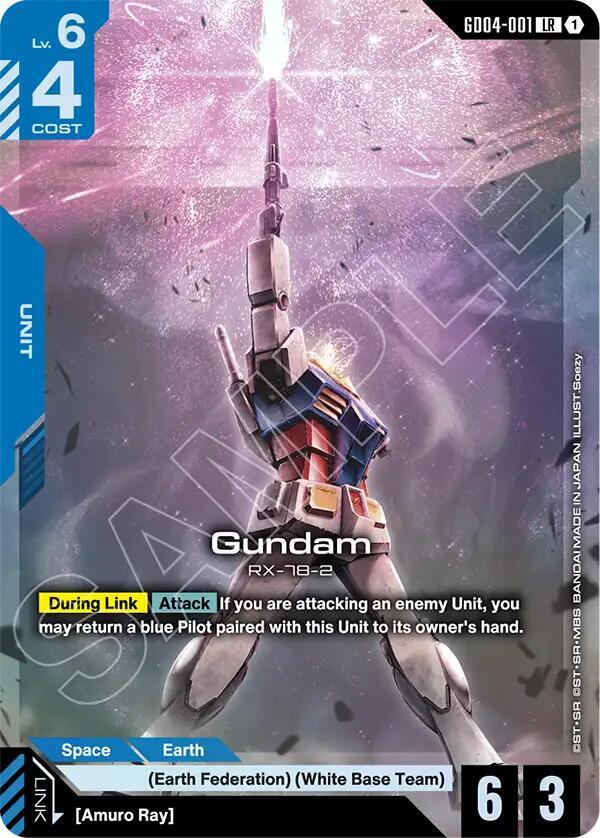
A Unit card is the most detailed card in the game — it has every region the other types use, plus a couple they don't. Learn the Unit and the rest are easy. Here's a schematic of where each piece sits:
Schematic layout of a Unit card. Exact positions vary slightly by card frame, but every Unit carries these regions.
Every Region, Explained
Here's what each labeled region means and why it matters:
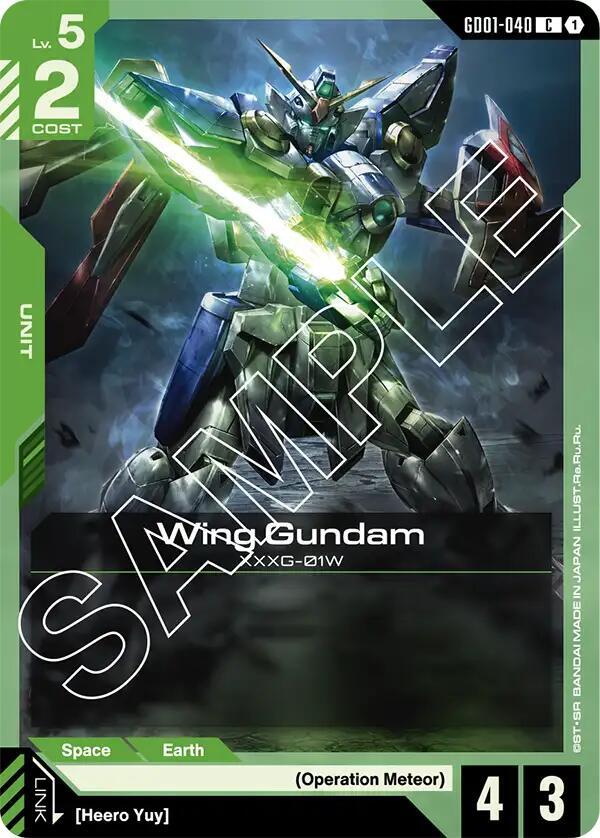
- Level (Lv). The number of Resources you must have in your Resource Area to be allowed to play the card. A Level 4 card can't be played until you control at least four Resources, regardless of cost.
- Cost. The number of Resources you rest (turn sideways) to actually pay for the card. This is separate from Level — more on that in a moment, because it's the thing new players mix up most.
- Color. One of five — Blue, Green, Red, White, or Purple (there is no black or yellow in this game). Color sets the card's strategic identity and matters for deckbuilding, since a deck runs at most two colors. Our color primer covers what each color does.
- AP (Attack Points). The card's offensive strength — how much damage it deals in battle. On a Unit, this is its own attack value.
- HP (Hit Points). The card's defensive strength. When a Unit's HP is reduced to zero, it's destroyed. AP and HP together drive every combat — our combat math guide shows how trades resolve.
- Traits (characteristics). Tags describing the card's class and affiliation — like Newtype, Zeon, Earth Federation, or Celestial Being. Many cards care about traits, granting effects based on them, so traits drive a lot of deck synergy.
- Zone. A Unit-only indicator showing its deployment zone (such as space or earth). Some effects care about a Unit's zone.
- Link Condition. Printed only on Units. It names the Pilot (by name or trait) that, when paired, turns this into a Link Unit — which gains extra abilities and can attack the very turn it's deployed, skipping the usual one-turn wait.
- Effect Text & Keywords. The rules box. This holds the card's abilities and any keywords (Blocker, Breach, First Strike, and so on). We break down how to read it below.
- Card ID & Rarity. The collector number (like GD01-001 or ST01-010, a set code plus number) and the rarity letter. The ID matters for the four-copy deck rule, which counts by card number.
Level vs Cost: The #1 Confusion
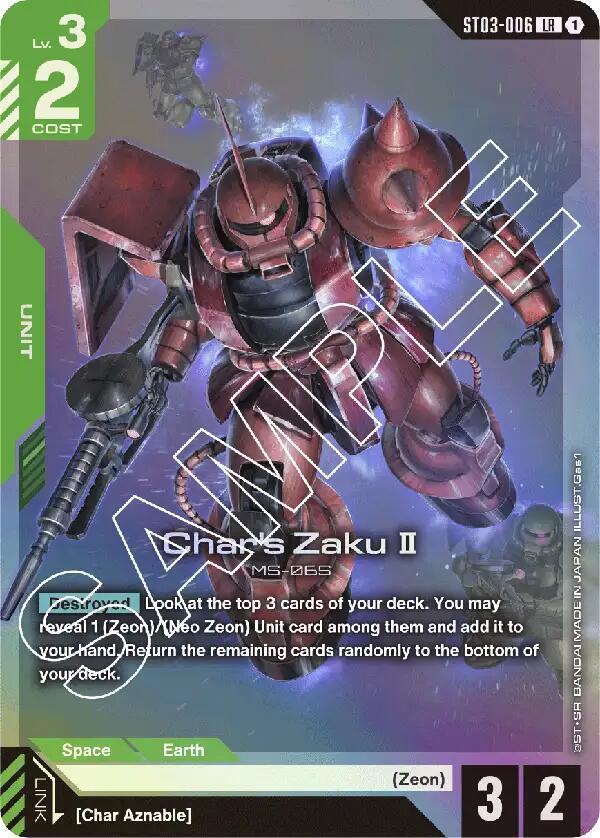
If you remember one thing from this guide, make it this: Level and Cost are two different numbers that do two different jobs. Almost every new player conflates them, and it leads to misplays.
Level = the gate
You must have at least this many Resources in your Resource Area before you're allowed to play the card. It's a threshold you unlock by accumulating Resources over the game.
Cost = the payment
You rest this many active Resources to actually pay for the card when you play it. Rested Resources refresh at the start of your next turn.
A Worked Example
A card printed as Level 2 / Cost 1 works like this: you can't play it until you have two Resources in your area (the Level gate), but when you do play it, you only rest one Resource to pay for it (the Cost). So you need two present, but spend one. The two numbers are often different on purpose — a powerful effect might be cheap to play but gated behind a high Level, or vice versa.
How the Four Card Types Differ
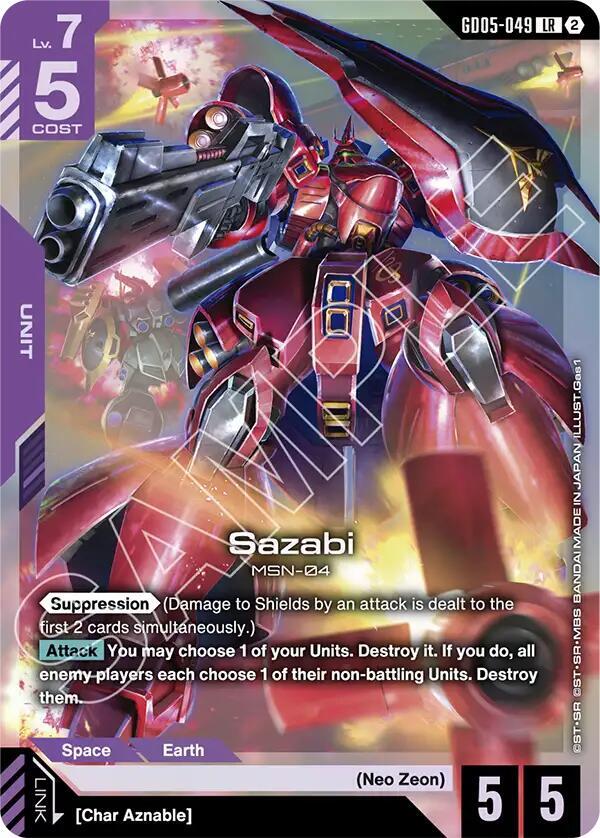
All four card types share the basics (Level, Cost, color), but each lays out differently. Knowing what's missing from a card tells you its type at a glance.
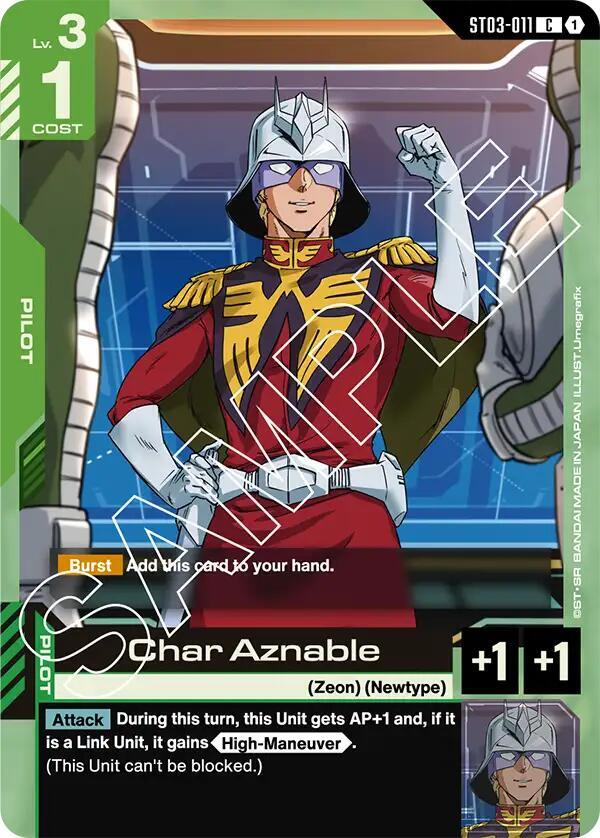
- Unit. The full package: AP, HP, a Zone, a Link Condition, traits, and effect text. Units are your Mobile Suits — the cards that attack and defend in the Battle Area. If a card has a Link Condition, it's a Unit.
- Pilot. Placed under a Unit to pair with it. A Pilot's AP and HP are bonuses it adds to the Unit, not its own stats — and a Pilot has no Link Condition (only Units do). It also shows its pilot name and any When Paired or During Pair effects it grants.
- Command. A one-time effect that resolves and then goes to the trash — think of it as a spell. Commands have no AP, HP, Zone, or Link. Some carry a Pilot sub-type, letting you optionally pair them as a Pilot instead; some have Action, letting you play them on your opponent's turn.
- Base. Deployed to your Shield Area to protect you, with a max of one Base at a time. Bases have HP but typically 0 AP, and provide passive or triggered effects. They're your defensive backbone — see our shield & burst guide for how the Shield Area works.
Quick Type-ID Trick
Glance for what's there: a Link Condition means Unit. AP/HP shown as bonuses with a pilot name means Pilot. No AP/HP at all means Command. HP but it sits in your Shield Area means Base. You rarely need to read the type line — the layout tells you.
Reading the Text Box
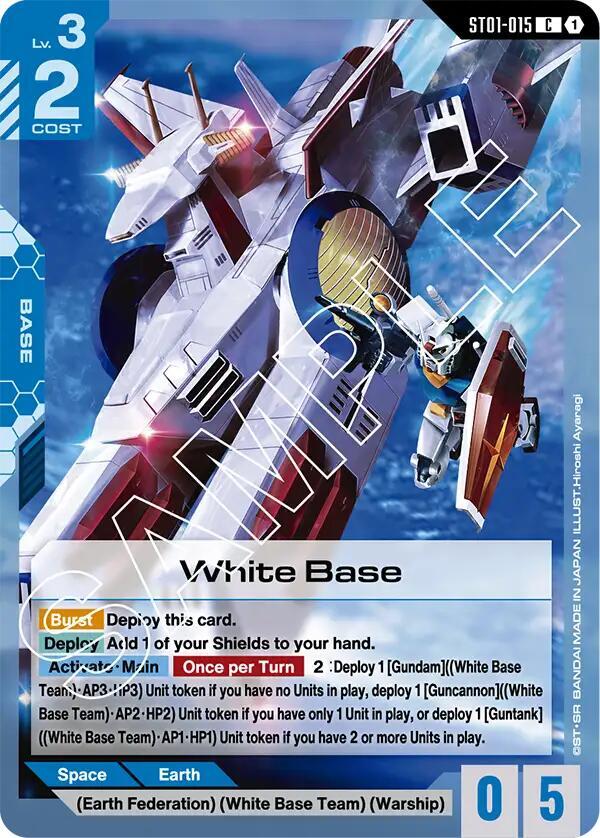
The effect text box is where the card's personality lives. It mixes a few distinct things, and learning to spot them makes any card readable:
- Keywords. Shorthand abilities printed as named terms — Blocker, High-Maneuver, First Strike, Support, Breach, Repair, and more. Each is a defined rule. Our guides to aggressive keywords and the Blocker keyword break down the common ones.
- Timing brackets. Effects often start with a bracketed timing, like an Activate/Main ability you use in your Main Phase, or a When Paired effect that triggers on pairing. The bracket tells you when the effect can happen.
- Burst. A special effect that fires if the card is flipped from your Shield Area when it's destroyed — a free comeback trigger. You'll see Burst text on cards that can sit in your shields.
- Plain effects. The rest is written-out rules text: what the card does, when, and to what. Read it literally and in order — Gundam's wording is consistent once you've seen a few.
Pair vs Link — A Crucial Distinction
Any Pilot can pair with any Unit, handing over its AP/HP bonus and effects. But a Unit only becomes a Link Unit when the paired Pilot satisfies the Unit's printed Link Condition — and only then does it gain the link bonus and the ability to attack the turn it lands. Pairing is general; linking is specific. The Link Condition on the Unit tells you which Pilot unlocks it.
Putting It Together
Once the regions click, reading a card becomes a quick, repeatable scan. Here's the order most experienced players run through automatically when they pick up a new card:
- 1. Type & color. What is it, and does it fit my deck's two colors?
- 2. Level & cost. When can I play it, and what does it cost me to do so?
- 3. AP & HP. How does it perform in combat — what does it beat, what beats it?
- 4. Link & traits. What pilot turns it on, and what synergies do its traits enable?
- 5. Text & keywords. What's the special sauce, and when does it trigger?
Run that scan a few dozen times and it becomes instant. From there, the rest of the game opens up: deckbuilding, combat decisions, and reading what your opponent's board can do to you. If you're ready for the next step, our how-to-play guide covers turns and phases, and building your first deck turns card-reading into deck-building.
Card-Reading FAQ
- Do all cards have AP and HP? No. Units have their own AP and HP. Pilots show AP and HP as bonuses they grant to a paired Unit. Commands have neither — they just resolve an effect. Bases have HP (to absorb damage) but usually 0 AP. If a card shows no AP or HP at all, it's a Command.
- Why does a card have two different numbers for Level and Cost? Because they do separate jobs. Level is the threshold of Resources you must have before you can play the card; Cost is how many you rest to pay for it. Designers set them independently to balance a card — a cheap effect might be gated behind a high Level, keeping it out of the early game.
- How do I tell a card's color? The card frame and cost area are colored to match — Blue, Green, Red, White, or Purple. There's no black or yellow in Gundam, so if a list mentions those colors, it's mistaken. Color determines what the card can pair with in a two-color deck.
- What's the difference between pairing and linking again? Pairing puts any Pilot under any Unit for its AP/HP bonus. Linking happens only when that Pilot meets the Unit's printed Link Condition — which adds an extra ability and lets the Unit attack the turn it's played. Every link is a pair, but not every pair is a link.
- Does the card ID matter for anything? Yes — the deckbuilding limit of four copies counts by card number, not card name. Alternate-art versions share the same number as the base card, so they still count toward that four-copy limit together.
Read Any Card at a Glance.
Every Gundam card is built from the same set of regions, each with a fixed job. Once you know that Level gates and Cost pays, that AP and HP drive combat, that the Link Condition unlocks an immediate attack, and that the text box holds the keywords and timing — you can read any card in the game, including ones you've never seen. That fluency is the foundation everything else is built on.
Keep this guide handy for your first few sessions, run the five-step scan, and before long you won't need it at all.
Keep Learning:
© GEEKYDOMAIN.COM | Strategy Powered by Data